Clean messy data in minutes.
Drop in a CSV or Excel export. See every problem, fix it with one click, and download clean data. Your original file is never changed.
No sign-up needed for the demo · your own private sample workspace
- Operations teams
- Analysts
- Anyone with messy spreadsheets
How it works
- 1Upload a CSV or Excel file
- 2See the problems found
- 3Preview each fix
- 4Download the clean file
What it does
CSV and Excel
Commas, semicolons and tabs are detected.
Finds the problems
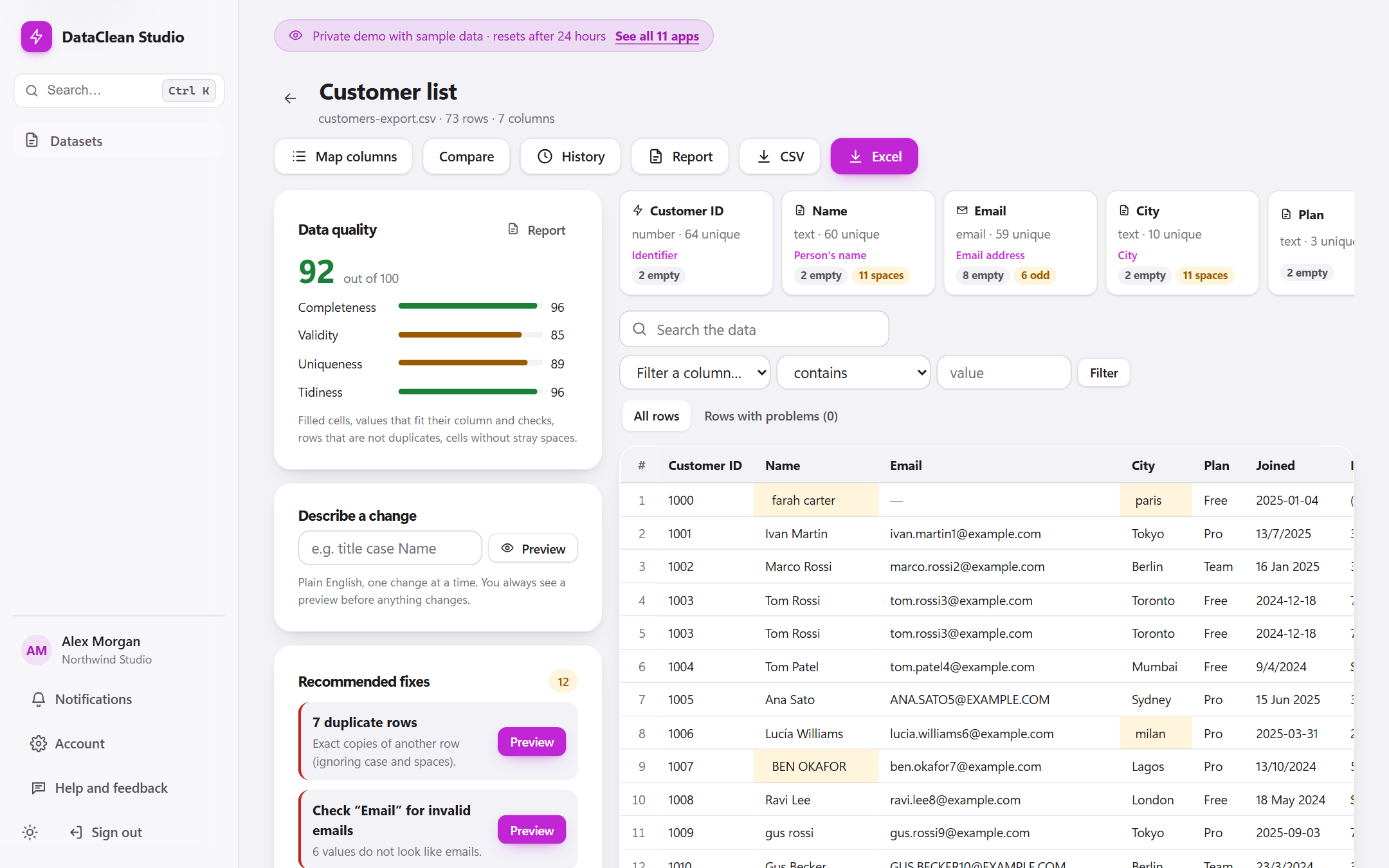
Extra spaces, duplicates, numbers stored as text, mixed date formats, bad emails, blanks.
Preview before you change
Every fix shows the exact cells and rows it would change, before and after.
Recipes you can reuse
Every fix is an undoable step.
Quality score and report
A score from filled, valid, unique and tidy cells, plus a processing report you can download.
Export
Download clean CSV or Excel.
AI helps. You decide.
What the AI does
Turns a plain-English request into a cleaning step.
What stays with you
You see a preview before anything changes.
Works without an AI key too: a built-in method is used, and it says so.
Private by default
- Your original file is never changed.
- Your own private workspace; roles for owners, admins, members and viewers.
- Activity history of important changes.
- Download all your data, or delete your account, from the Account page.
Questions
Can I reuse my steps on next month’s file?
Yes: save them as a recipe. The column check warns when the new file’s columns differ.
Why did an exported cell change at the start?
Cells that begin like a formula (=, +, -, @) are made safe so spreadsheet programs do not run them.
See DataClean Studio with real sample data.
One click. Your own private demo. Nothing to install.